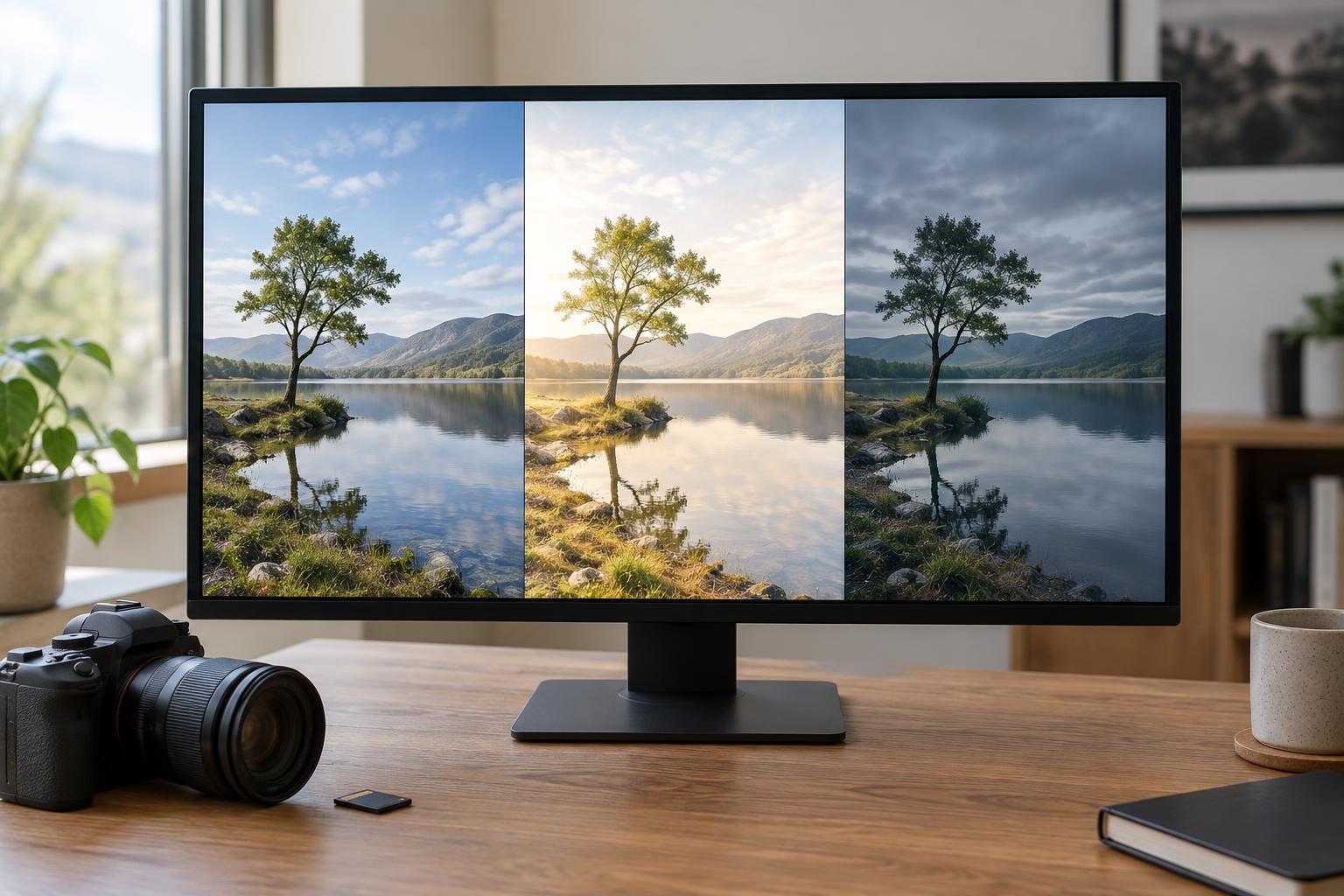
Choose a file with room to interpret
Pick one RAW photograph with a clear subject and some variation in light, color, or texture. A portrait beside a window, a street scene in soft light, or a landscape with a distinct foreground can all work. Choose a file that is reasonably sharp where it matters and not so underexposed or overexposed that every edit becomes a rescue attempt. The aim is to explore interpretation, not to repair every possible flaw.
Before moving any sliders, write down what drew you to the frame. Was it a gesture, a patch of light, a color relationship, or the sense of place? Then note what competes with that point of interest. These two observations give you a way to judge your edits: each version may feel different, but it should still help a viewer find the subject.
Make three virtual copies or duplicate the edit settings in a way that leaves the original RAW file untouched. Keep the crop and aspect ratio the same at first. That constraint makes changes in tone and color easier to compare; you can revisit the crop after the three versions are complete.
Version one: Build a faithful baseline
Start with a straightforward rendering that respects how the scene appeared to you. Set white balance so that surfaces you expect to be neutral do not carry an obvious color cast, but do not remove warmth or coolness that was part of the light. Adjust overall exposure until the subject reads clearly. Use highlight and shadow controls only as much as needed to keep important detail visible.
Next, set contrast with a light touch and check the edges of the frame for distractions. If a bright background area pulls attention away from the subject, a modest local adjustment may be more useful than darkening the whole image. Apply lens corrections if they help, and use sharpening and noise reduction conservatively at a useful viewing size. A RAW preview can look softer or flatter than a finished image, but excessive detail adjustments can make edges and skin look unnatural.
This baseline is not the single correct edit. It is your reference point. Give it a descriptive name, such as “balanced,” and leave it alone while you develop the other two versions.
Version two: Make the image feel open and bright
Return to an untouched copy rather than stacking new changes on the baseline. Try a brighter interpretation that emphasizes ease and clarity. Raise exposure only until important bright areas still serve the picture; then soften contrast if hard shadows feel out of place. You might lift midtones or shadows slightly and keep whites clean without pushing them into featureless patches.
Consider color as part of the mood. A slightly warmer white balance may feel welcoming in some scenes, while cooler, gentler color may suit others. Avoid assuming that a bright edit needs heavy saturation. Often, separating the subject from the background with careful local brightness is more effective than making every color louder. Check whether the brightest spot still belongs near the subject. If the viewer’s eye now goes to an empty corner, pull that area back.
Version three: Create a restrained, moody interpretation
Begin again from the original settings. For a moodier version, lower the overall exposure or deepen selected shadows, but protect the tones that describe your subject. Darkness can direct attention when it has a purpose; it is less useful when important shapes simply disappear. Try keeping a small area of light on the subject while letting less important parts of the frame recede.
Experiment with a cooler or warmer color direction according to the scene, then keep it consistent. You could reduce the saturation of distracting colors or use a gentle local adjustment to separate the subject from its surroundings. Resist the temptation to add contrast, clarity, a vignette, and strong color shifts all at once. Make one change, look away briefly, and ask whether it strengthens the intended feeling. If the photograph contains a person, check that skin still looks plausible for the light you have chosen.
Compare the results and keep what you learned
View all three edits side by side at the same size, then inspect them individually at a larger size. Compare where your eye lands first, how much detail matters, and whether the color supports or distracts from the subject. The bright version may reveal useful context; the moody version may simplify a busy scene; the baseline may prove to be the strongest. None of those outcomes means the exercise failed.
Export the three versions at identical dimensions and with clear filenames, such as “balanced,” “bright,” and “moody.” If you plan to share them, view the exports rather than relying only on the editing preview. Finally, jot down two adjustments that helped and one you would use more sparingly next time. The lasting skill is not memorizing a preset. It is learning to connect each editing choice to what you want the photograph to say.